
Enterprise Security Operations
Integrated Security Management
Across Every System on Site.
Access, fire, video, and building systems correlated on one command layer, so an event in one triggers an action in another.
How it works
The Layer That Sits Above Everything Else.
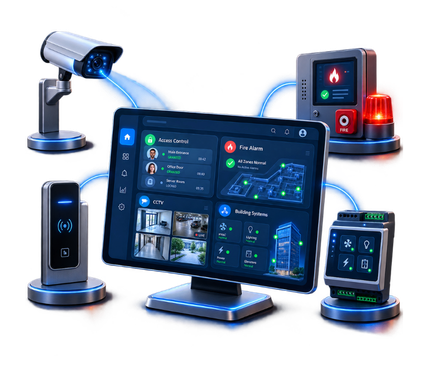
Enterprise Security Operations isn’t another access point. It’s the command layer that watches, correlates, and coordinates every other system Vista Network runs, from one screen.
Vista Network Command Layer
Real-time information: every system's status on one screen, mapped to your floor plan.
LIVE COMMAND DASHBOARD →ACCESS & MOVEMENT
- Access Control: Every door, gate, and credential event, live
- Smart Lockers: Status, occupancy, and tamper alerts
- Elevators (DCS): Trip activity and floor-access events
- Visitor Management: Who's on site, where, and since when
- Parking Management: Entry, exit, and occupancy by zone
PEOPLE & COMPLIANCE
- Vendor Management: Entry, documents, and scheduled access
- Contract Labour: Induction, headcount, and access windows
- Guard / Tour: Tour routes, scan records, and exception reporting
- Time & Attendance: Attendance on the same credential, exported for payroll
SAFETY & BUILDING
- Fire & Life Safety: Sensors, alarms, and reverse evacuation
- CCTV & Video (VMS): Live feeds, recording, LPR events, and alerts
- Building Management: HVAC, power, and fault detection
Why it's different
What Makes It
Different?
How Vista Network builds the command layer: subsystems connected at the data level and their events correlated, so the platform acts on what is happening rather than only displaying it.

Correlates Events, Not Just Feeds
An access swipe, a camera feed, and an alarm land on one incident timeline, tied together. A video wall shows four feeds; this tells you they're the same event.
Life Safety Wired in
Fire detection and access control share a direct handshake for reverse evacuation, aligned to NBC 2016 Part 4, so the two act as one coordinated response.

Guided Response, Every Shift
When an incident fires, the system walks the operator through your SOP step by step, so the right action happens the same way every time.
Every Response Measured
Incidents captured end to end with operator actions and response times, so you can prove response performance for audit and improve it.

Built on Open Standards
ONVIF for cameras, OSDP for readers, BACnet for building systems. The estate runs on published protocols rather than a closed proprietary interface, so it can be extended later without being trapped.
How it responds
What Happens When Something Goes Wrong.
The value of a command layer shows in the moments that matter. Four scenarios, handled automatically.

Fire Trigger → Reverse Evacuation
- Fire panel signals an alarm in a zone
- Every door in the affected zone releases, the fire signal is passed to the lift controller for recall, evacuation routes open
- The full sequence is logged for the Fire NOC record

Intrusion → Lockdown
- Forced entry or an after-hours breach is detected
- Affected zones lock down, cameras focus the area, security is alerted with the live feed
- The incident timeline is captured automatically

Tailgating → Alert & Verify
- A tailgating or anti-passback violation is detected at a controlled point
- The event is flagged, the nearest camera is pulled up, and security verifies against the access log
- The attempt is recorded whether or not it's actioned

After-Hours Access → Monitored Entry
- A valid credential is used outside permitted hours
- The entry is allowed or held by policy, security is notified, and the camera feed is attached
- The event is escalated by the escalation rules
Outcomes
What You Gain.
Beyond the features, here is what a single command layer changes for your security team, your compliance posture, and your response time.

One Screen, Not Four Consoles
Access, fire, CCTV, and building systems on one dashboard. Your security team stops switching between disconnected tools.

Response That's Automatic
Fire releases doors, intrusion triggers lockdown, tailgating pulls the camera, without waiting for a human to connect the dots.

Compliance You Can Prove
NBC 2016-aligned fire integration and a full incident record, ready for the Fire NOC and any audit.

One Accountability Line
Every subsystem reports to one command layer and one vendor. When something matters, there's one place the buck stops.
Related products
What the Command Layer Is Built On.
The command layer is software first, but it runs on a defined stack: platform, controllers, and the field hardware that feeds it. These are the components underneath the dashboard.
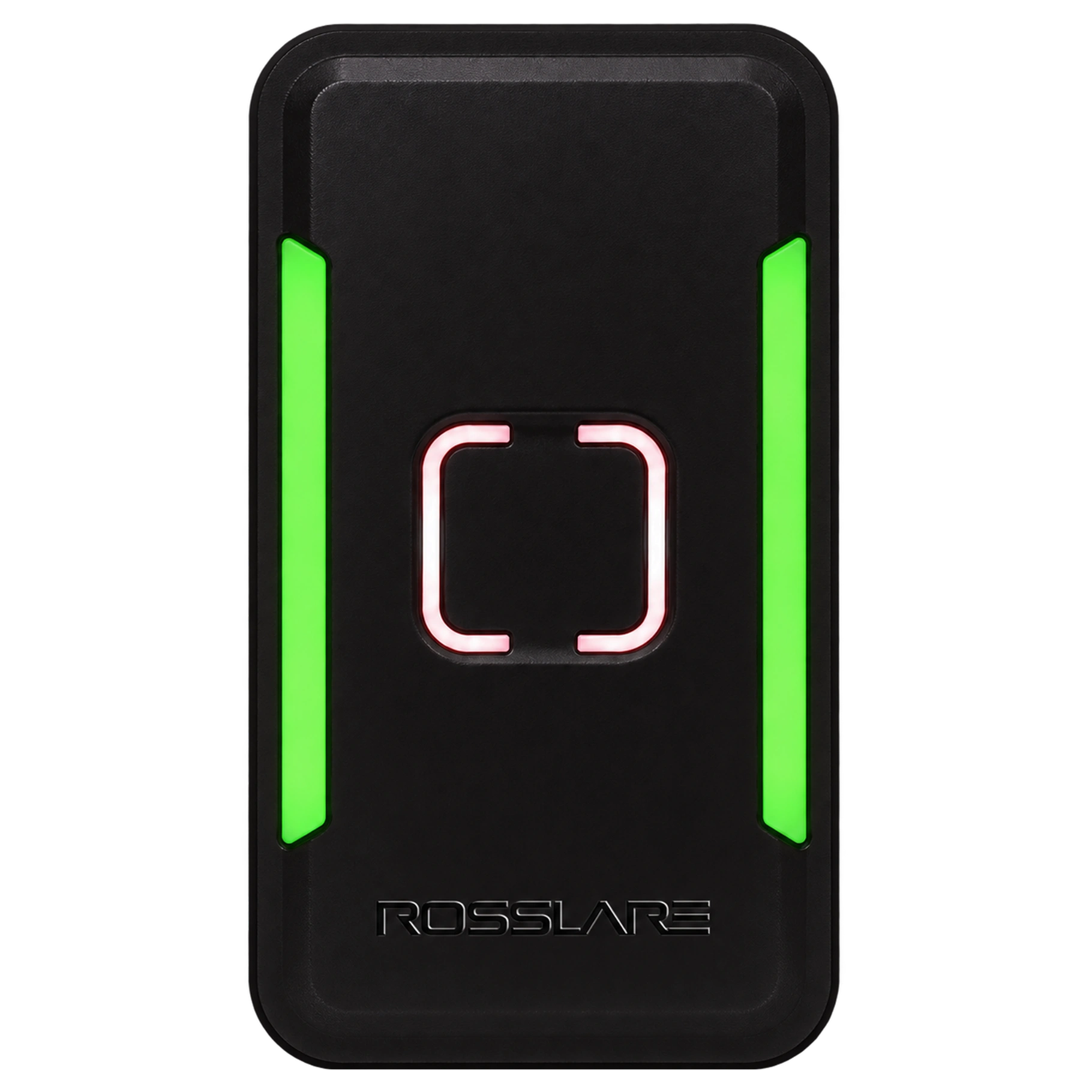
AY-K35
SIA OSDP-verified Multi-Smart reader, 125 kHz, 13.56 MHz, Bluetooth LE and NFC on one device, with OSDP secure channel and AES-128, so a single reader standard covers a mixed, multi-site estate. IP68, IK09, antimicrobial surface.
AY-K35
SIA OSDP-verified Multi-Smart reader, 125 kHz, 13.56 MHz, Bluetooth LE and NFC on one device, with OSDP secure channel and AES-128, so a single reader standard covers a mixed, multi-site estate. IP68, IK09, antimicrobial surface.
Supplied to Leading Enterprises Across India.





Frequently Asked Questions
It's the command layer that sits above every other system (access, lockers, elevators, visitors, fire, CCTV, and building systems) and runs them all from one live dashboard.
On a fire trigger, every door in the affected zone releases automatically and the fire signal is passed to the lift controller for fire recall, so people can get out, in line with NBC 2016 Part 4.
The fire-to-access integration is engineered to NBC 2016 Part 4 life-safety requirements, and the full incident sequence is logged for the Fire NOC record.
Fire detection and video are supplied as part of the same package as access control, so the command layer is not negotiating with someone else’s equipment. A zone alarm triggers door release and lift recall directly. Camera feeds and recorded clips attach to the access or alarm event on one incident timeline. Building systems report to the same dashboard. Every subsystem is specified and supplied together, which is what makes an automatic cross-system response reliable rather than best-effort.
Every access point, alarm, camera, and system status in real time, mapped to your floor plan, with cross-system events tied to one incident timeline.
Each incident type has a defined policy that triggers the response, escalates to the right responder, and walks the operator through your SOP step by step.
Every incident is captured end to end (trigger, response, resolution, with operator actions and response times) exportable for review and compliance.