
Smart Locker Management
Smart Locker Systems for
Controlled, Auditable Storage.
Controlled storage access for staff, visitors, and deliveries, with a record of
every open and close.
How it works
One Platform, From the Front Gate to the Last Locker.
A visitor, staff member, or delivery rider moves through six moments. Vista Network handles each one on the same access backend as your doors.
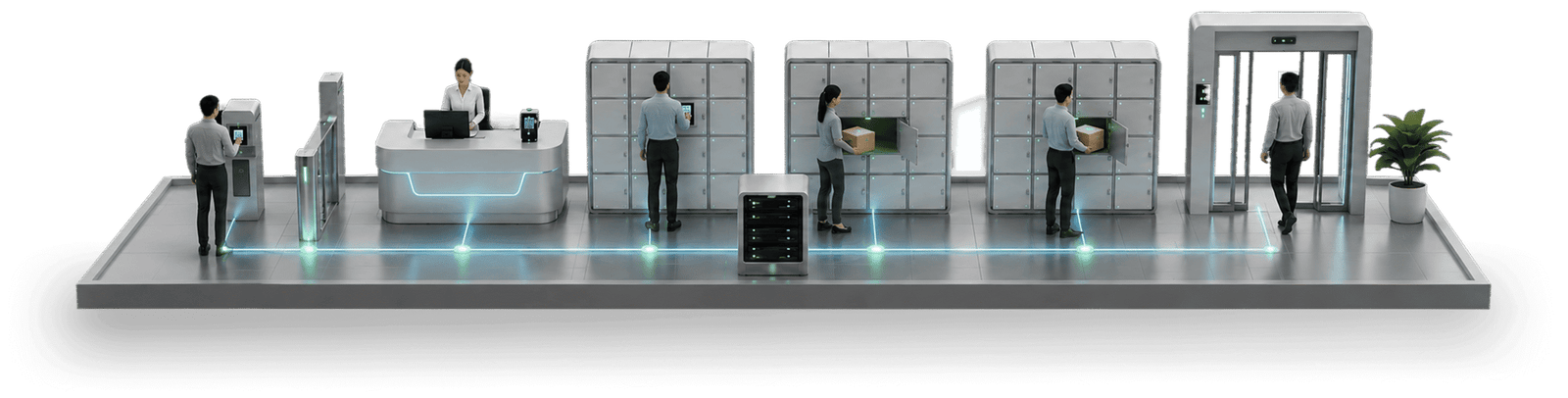

Entry
Same access system that runs the gate authenticates the visit or checks pre-registration.
One-Time Registration
Credential issued or verified at the desk — card, mobile pass, or biometric. Assigned once and reused on every visit; returning users skip the desk and go straight to access.
Locker Access
User authenticates at the locker bank. System checks credential, allocates a locker in real time, and opens it.
Deposit
Belongings placed. Locker closes. Event logged against the user, locker ID, and timestamp.
Retrieval
User returns, re-authenticates. System opens their assigned locker. Re-open events logged the same way as the initial open.
Exit
Locker releases back to available pool. Full session stored as one audit record.
WHAT THE PLATFORM DOES
Automated Locker
Allocation
Vista Network's smart locker runs on the same access backend as your doors, elevators, and visitor platform. Every capability is engineered into that platform from day one.
Policy-Based Allocation
Anti-passback, role-based, time-zone, and route-based access, all standard. Lockers allocated in real time based on the policy layer. No fixed assignments. No manual reallocation.

Multiple Authentication Modes
Open with RFID card, QR code, mobile credential, biometric fingerprint, or PIN, individually or in combination. Users choose what authenticates best for them, on the credential your building already trusts.

Remote Management
Assign, revoke, unlock, and reset lockers from any workstation. No physical key retrieval, no facilities ticket, no site visit.
Local Enforcement and Cloud Options
Every locker is controlled locally, ensuring uninterrupted operation even when the network is unavailable. Cloud options are also available, allowing you to connect and manage all your sites from a single view.

Anti-Tailgating Mechanism
Time and proximity sensors detect suspicious movement around the locker bank. Unauthorised access attempts are flagged in real time and escalated to the security operations dashboard.

Tamper Detection, Real-Time
Sensors flag forced-open attempts, unauthorised access, and hardware faults. Escalates directly to the security operations dashboard.
Who it's for
Configured for Every Environment
Vista Network's smart locker fits any building type. These are the four environments where it runs at scale today.

Corporate Offices & Tech Parks
- Shared-desk day lockers, assigned dynamically at check-in
- Executive floors with role-restricted locker access
- Contractor and visitor lockers on the same platform as employees
Corporate Towers & Tech Parks

Hospitals & Healthcare
- Medication and sample storage with controlled access
- Patient and visitor belongings storage with full audit trail
- Staff shift lockers with automatic reassignment between shifts
Hospitals & Healthcare

Retail & Warehousing
- Gym and fitness: member keyless day-use lockers, anti-theft and contactless
- Delivery rider drop-off lockers with one-time access codes
- Staff lockers with shift-based dynamic allocation
Hotels & Hospitality

Residential & Gated Communities
- Parcel delivery lockers for e-commerce and courier drops
- Guest lockers with pre-registered temporary access
- Resident storage lockers with community-app credentials
- Clubhouse lockers for members and guest day-use
Residential & Gated Communities
Outcomes
What You Gain.
Beyond the features, here is what a Vista Network smart locker build changes for your operations, your security posture, and the people who use it.
Reduced Operational Overhead
Self-service locker access takes routine allocation and key-management tasks off your facilities team, freeing them for work that matters.
Stronger Security Posture
Every locker is credential-controlled and every access event is logged. Live occupancy data surfaces bottlenecks before they become incidents.
Better Space Utilisation
Dynamic allocation and digital audit logs remove the dead space of fixed assignments and the vulnerability of shared or lost physical keys.

Premium User Experience
Clean, contactless, keyless access leaves a lasting impression on employees, members, and visitors alike.
Related products
The Hardware That Runs Locker Access.
Locker access runs on the same credential and control layer as your doors. These are the components that layer is built from.
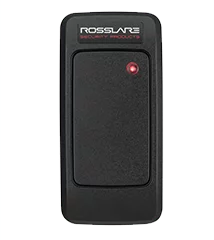
Proximity Reader
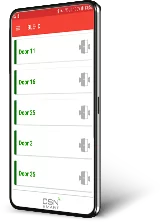
Mobile Credential
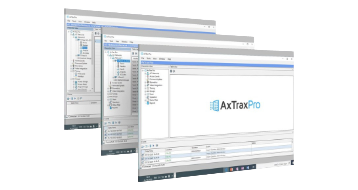
AxTraxPro Software
Supplied to Leading Enterprises Across India.







Frequently Asked Questions
The system supports RFID cards, QR code, mobile credentials via BLE and NFC, biometric fingerprint, and PIN. Methods can be enabled individually or in combination. Each locker bank is independently configurable to match the security requirements of the space it serves. The same credential that opens your office doors opens your lockers. No separate issuance, no separate database.
Yes. Access rules are stored locally on the locker controller. The system enforces credentials and logs events even without network connectivity. A backup battery ensures operation continues through power outages.
Dynamic by default. Lockers are assigned in real time based on role, shift, or booking policy. Anti-passback, time-zone restrictions, and route-based access policies are all standard. Fixed allocation is also configurable if your site requires it.
The credential is revoked across every access point (doors, elevators, and lockers) in one operation. No separate locker admin step required.
Yes. The locker system runs on the same access platform as the doors, lifts, and gates, not as a separate system bolted on afterwards. One credential, one permission model, one audit trail, so a locker is another controlled point on the same system, not a separate product running alongside it. No middleware, no custom development.
Yes. Every open, close, reassignment, and override is logged with the user ID, timestamp, and locker number. Logs are exportable in standard formats for compliance audits, incident reviews, and procurement documentation.
Every open is tied to a credential and written to the audit trail, and forced-open and tamper events escalate to the security operations dashboard. A live dashboard shows which lockers are in use and which are free.
Vista Network's locker system integrates with fire detection panels for reverse evacuation. On a fire trigger, doors in the affected zone release in line with NBC 2016 Part 4 life safety requirements. Locker behaviour on a fire event is set by site policy and confirmed at design stage. The integration and its behaviour on a fire event are documented in every project's technical submission.